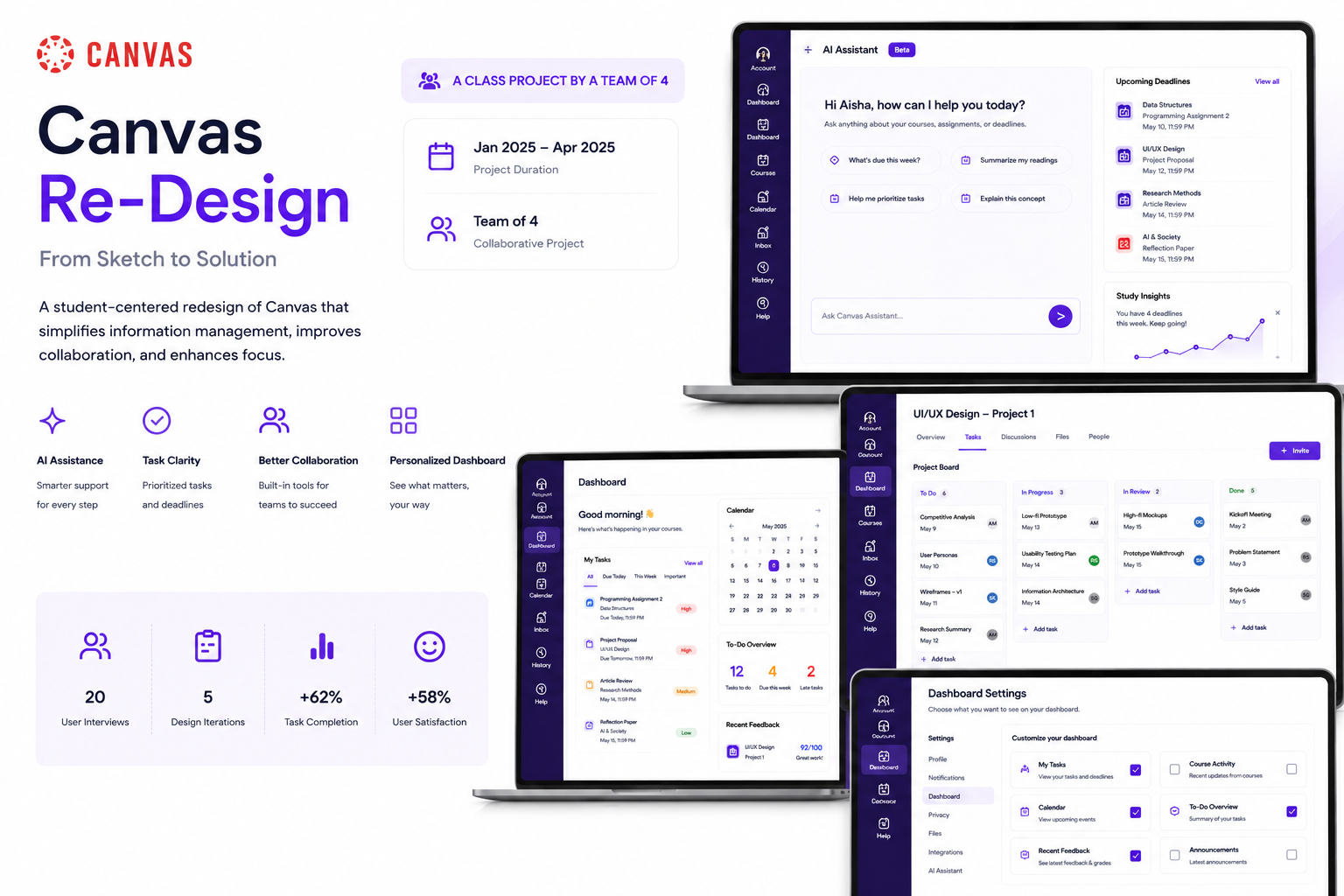
Canvas Re-Design
A student-centered redesign of Canvas that simplifies information management, improves collaboration, and helps students stay focused on what matters.
Information overload was breaking students’ flow.
Students were juggling emails, calendars, assignments, lecture notes, and team communication across too many disconnected places. Important information became easy to miss, while keeping up with deadlines demanded constant context switching.
The opportunity was not simply to redesign a dashboard. It was to rethink how course information is organized, surfaced, and connected so students can spend less energy searching and more energy learning.
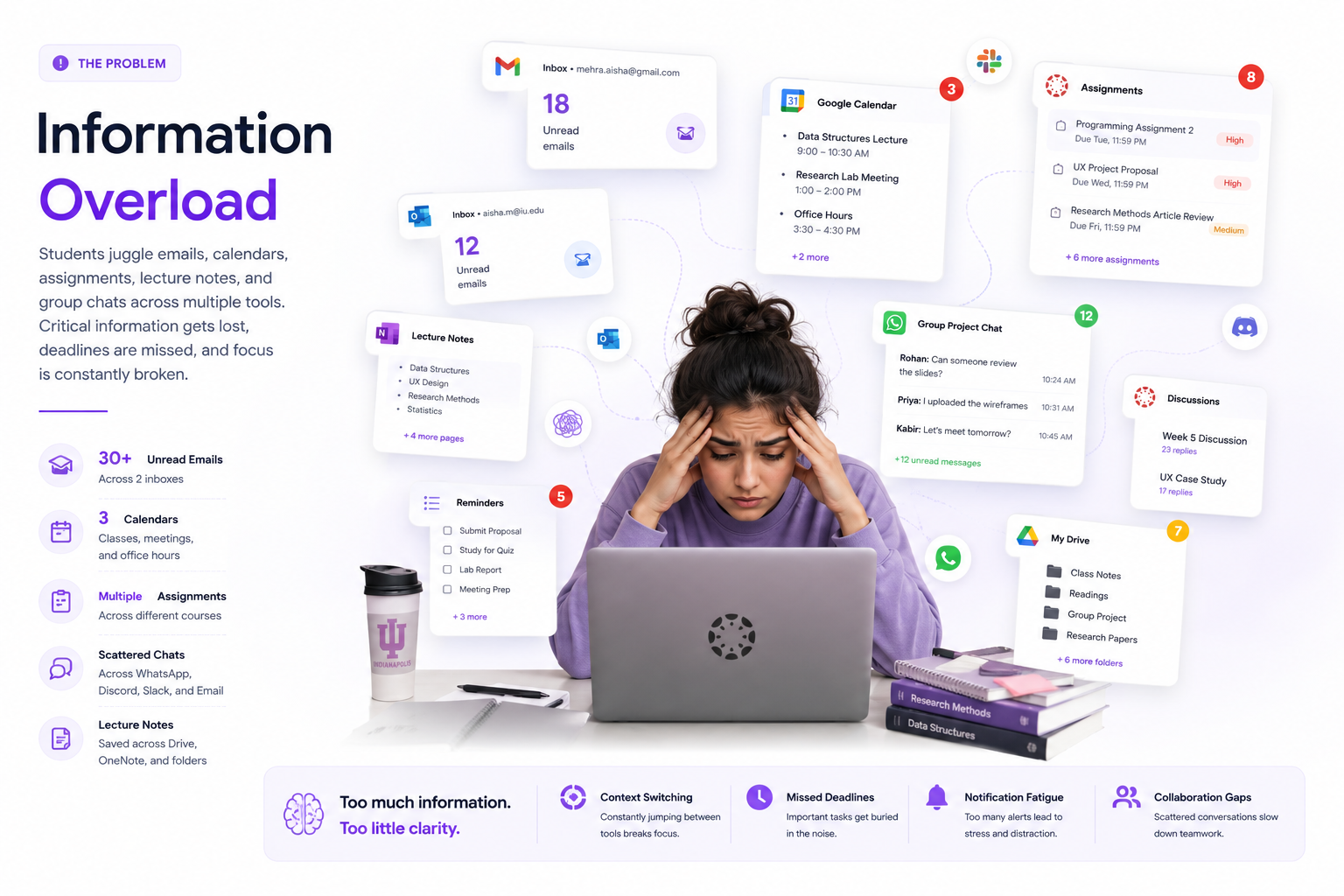
The core challenge revealed by the project was fragmentation. Students were not struggling because they lacked access to tools. They were struggling because the tools were disconnected, noisy, and difficult to prioritize within a daily workflow.
This framing is important because it changes the design goal: instead of adding another feature, the redesign needed to bring high-priority information into a more unified and actionable experience.
Students weren’t struggling to access information. They were struggling to organize it.
Through 20 one-on-one and observational interviews, the project uncovered recurring issues around prioritization, notification overload, finding information quickly, and collaborating with classmates in context.
Research snapshot
- 20 user interviews
- Student persona centered on graduate workflows
- Focus on assignments, deadlines, and collaboration
Key insight themes
- Task prioritization is unclear
- Notifications create overload
- Collaboration happens elsewhere
- Information is hard to find
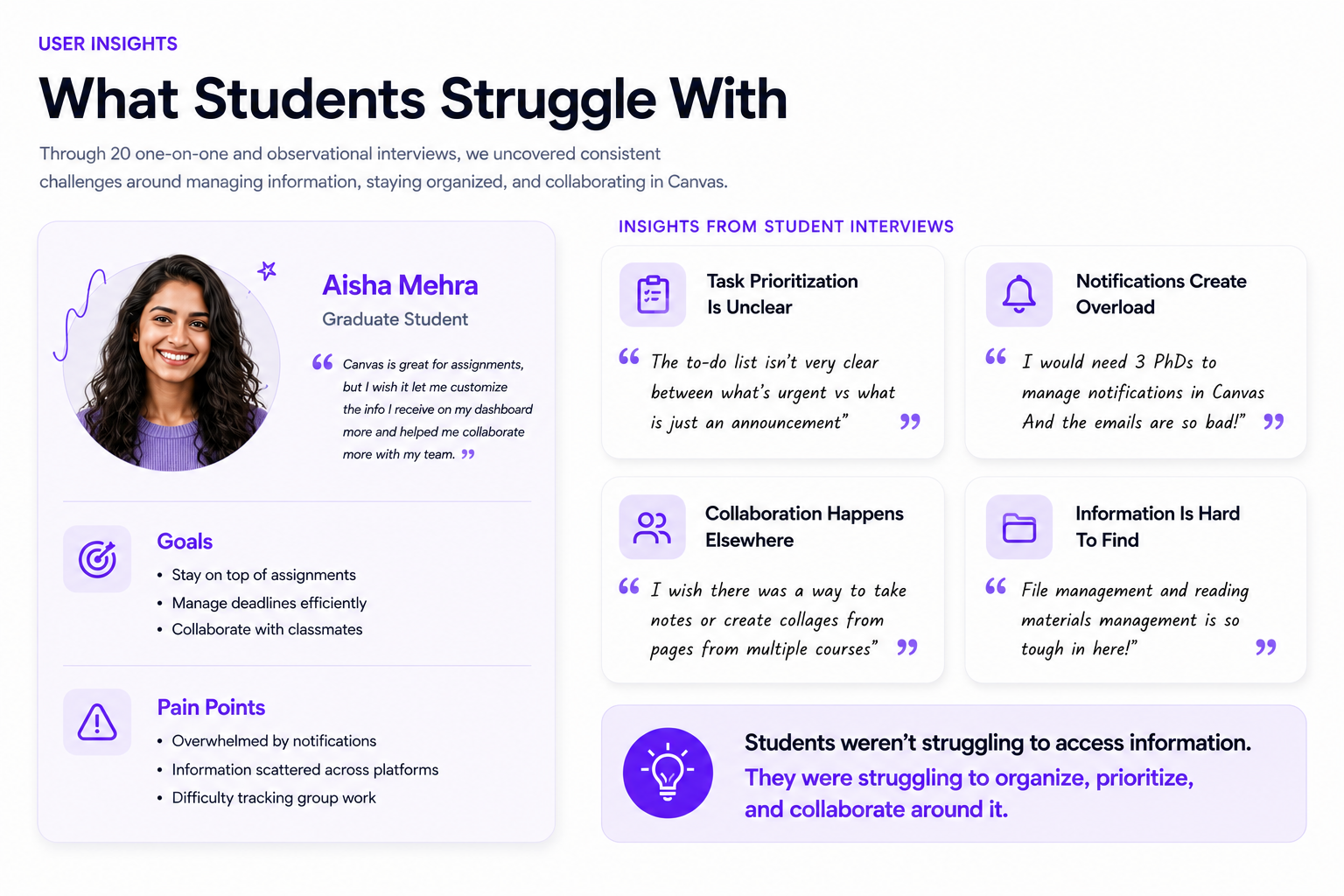
The persona and interview insights sharpened the case for change. What students wanted was not a more complicated platform, but a clearer one: a way to know what needs attention now, what can wait, and where to go next without hunting across multiple screens.
Interview themes reflected a broader challenge than individual screen usability: students needed stronger connections between the information and tasks that shape their daily routines.
From fragmented to unified.
The redesign direction focused on giving students one unified experience that brings schedules, tasks, notifications, course resources, and team collaboration closer together.
Instead of forcing students to translate information across separate areas, the concept reframed Canvas as a partner in the student journey—one that helps people stay organized, focused, and in control.
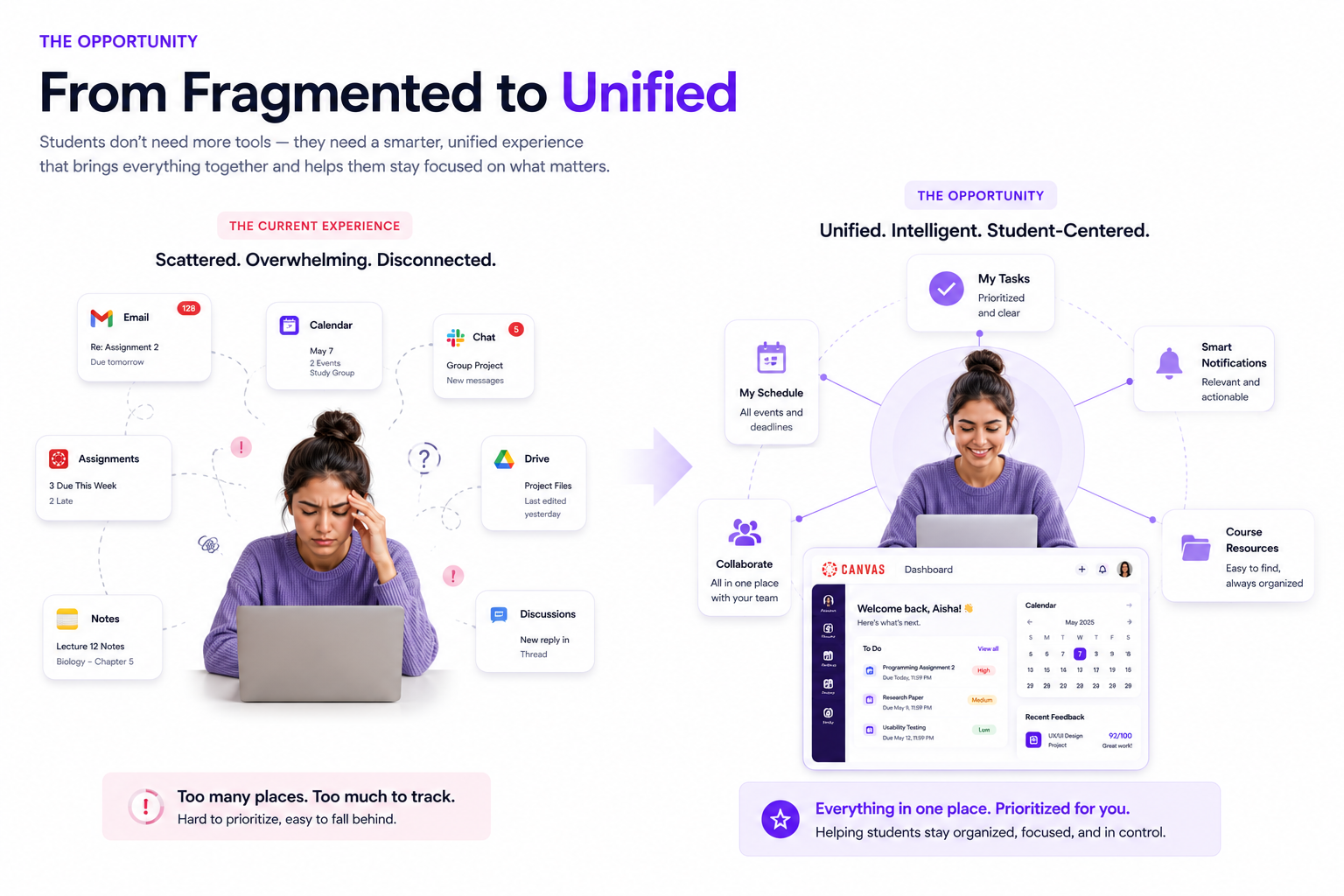
The opportunity was to build around students’ existing responsibilities rather than introduce more places to manage them. Tasks, schedules, learning materials, and discussions needed to feel part of one connected system.
The research led to a clear design direction: connect scattered information, surface priorities earlier, and support collaboration alongside coursework.
Research findings were translated into concepts through synthesis, evaluation, and iterative design.
Research was synthesized through affinity mapping, heuristic evaluation, brainstorming and wireframing to translate student needs into interface directions.
Process stages shown
- Research
- Synthesis
- Evaluation
- Ideation
- Wireframing
- Testing
- Refinement
Strong artifacts to keep
- Affinity map from synthesis
- Heuristic evaluation findings
- Brainstorming focus areas
- Wireframe explorations and concept merging
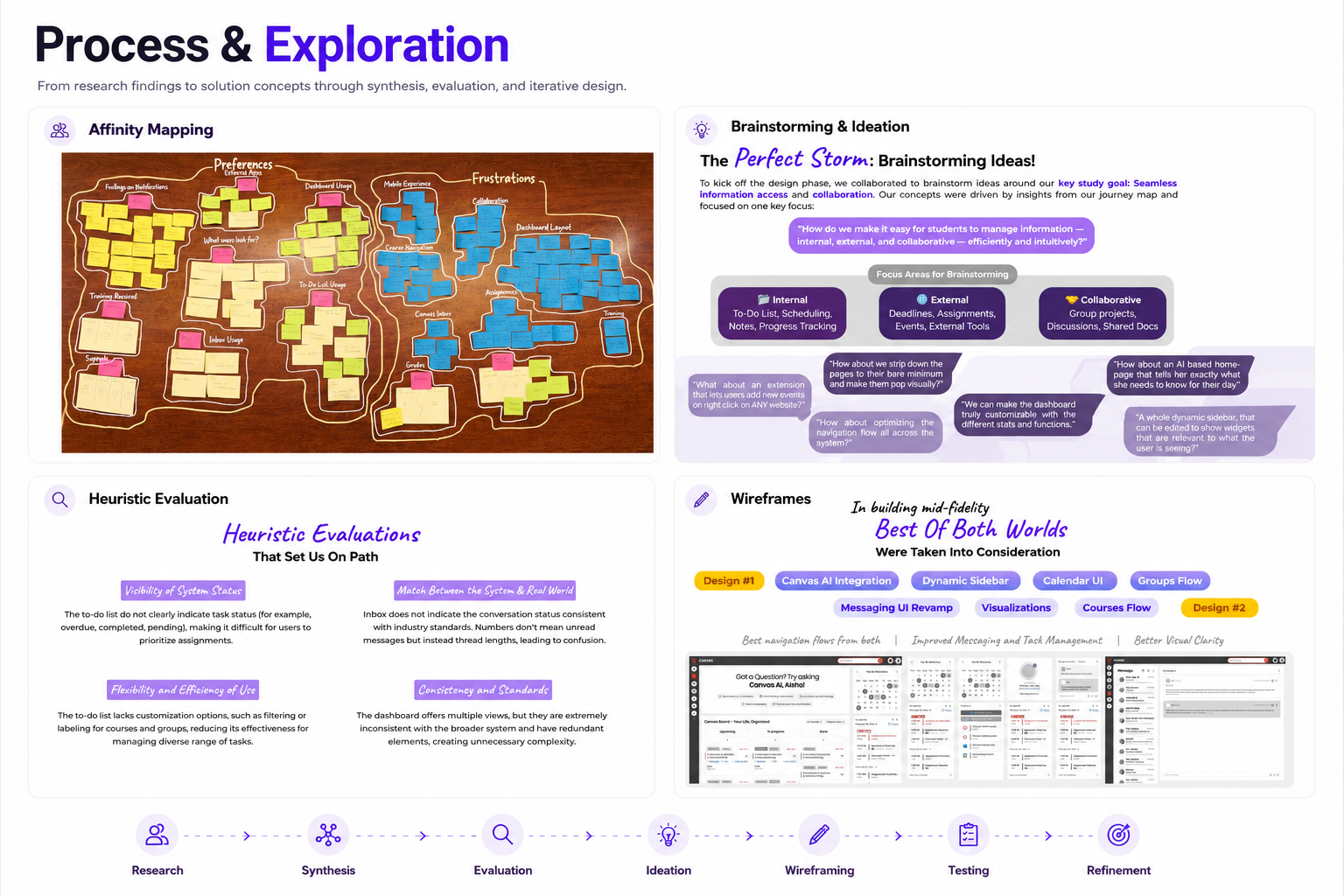
Affinity mapping helped group related observations. Heuristic evaluation identified problems in system visibility, consistency, and flexibility. Brainstorming explored internal, external, and collaborative information needs before wireframing the proposed interface.
The heuristic evaluation surfaced visibility, consistency, and flexibility concerns. These informed a clearer task hierarchy, more coherent navigation, and options for personalizing the dashboard.
A unified Canvas experience that supports planning, learning, and collaboration.
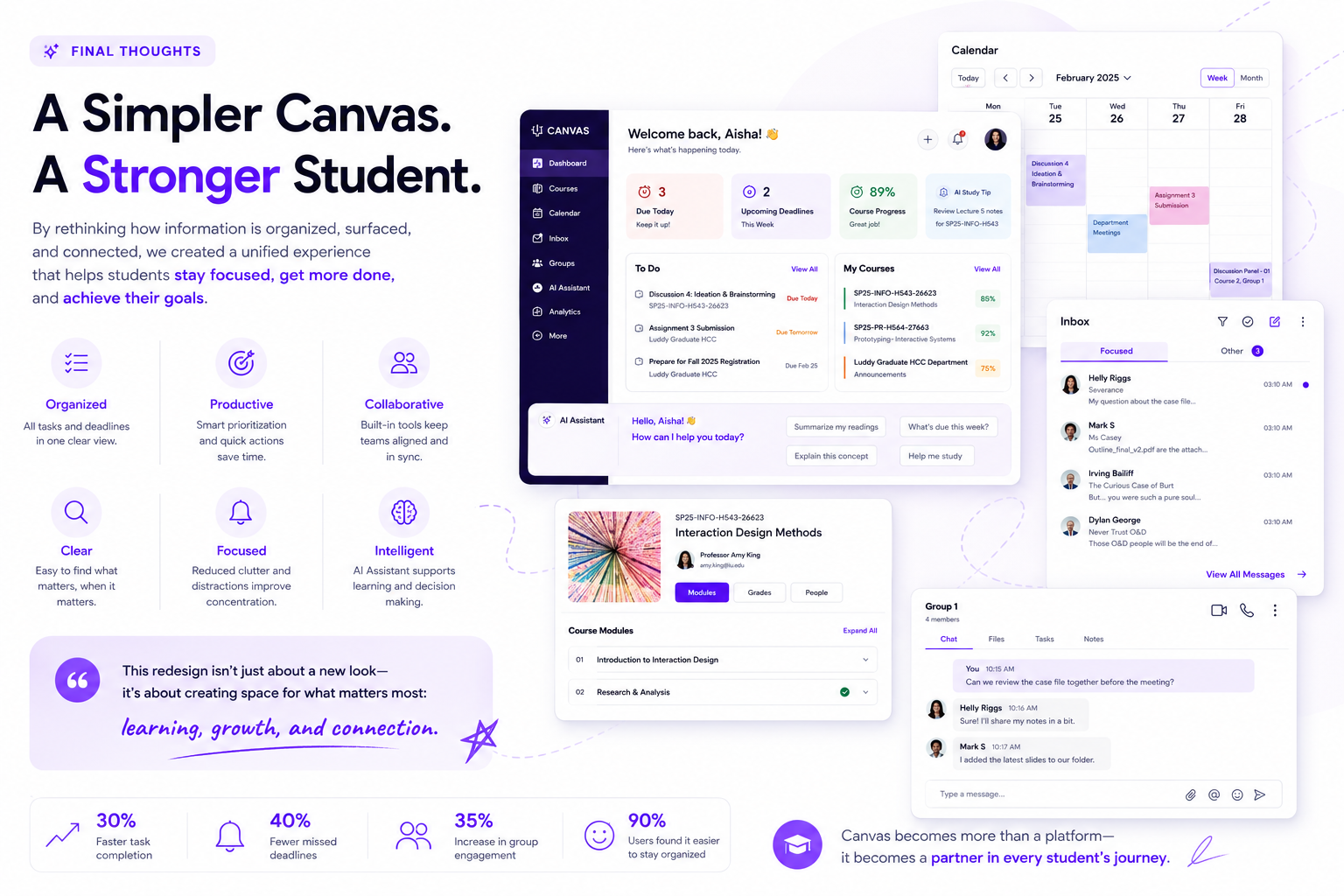
The final concept brings together a personalized dashboard, improved calendar view, revamped inbox, course pages, AI assistant, and group collaboration tools into a single ecosystem.
The strength of this solution is that it addresses the insight themes directly. Students can see upcoming work, understand what matters most, access relevant course content, and collaborate in context.
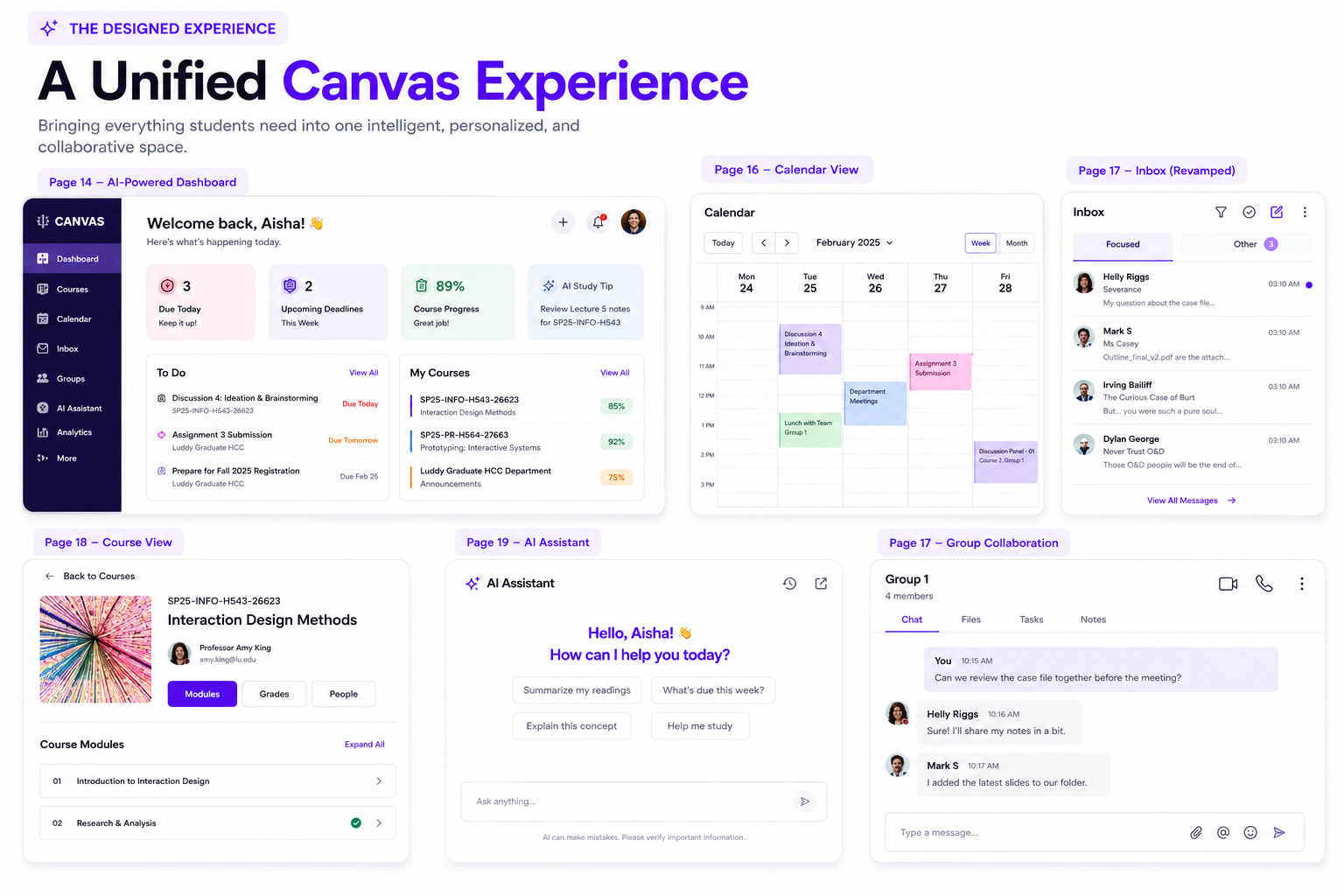
Core surfaces
- AI-powered dashboard
- Calendar view
- Inbox (revamped)
- Course view
- AI Assistant
- Group collaboration
What the solution improves
- Prioritized tasks and deadlines
- Clearer communication and messaging
- Faster access to course materials
- A more focused daily workflow
A smarter journey, every day.
Aisha’s journey illustrates the proposed flow: begin with a personalized overview, prioritize responsibilities, collaborate with classmates, and access course information in context.
Walkthrough structure
- Get a personalized overview
- Organize and prioritize
- Collaborate effortlessly
- Access everything instantly
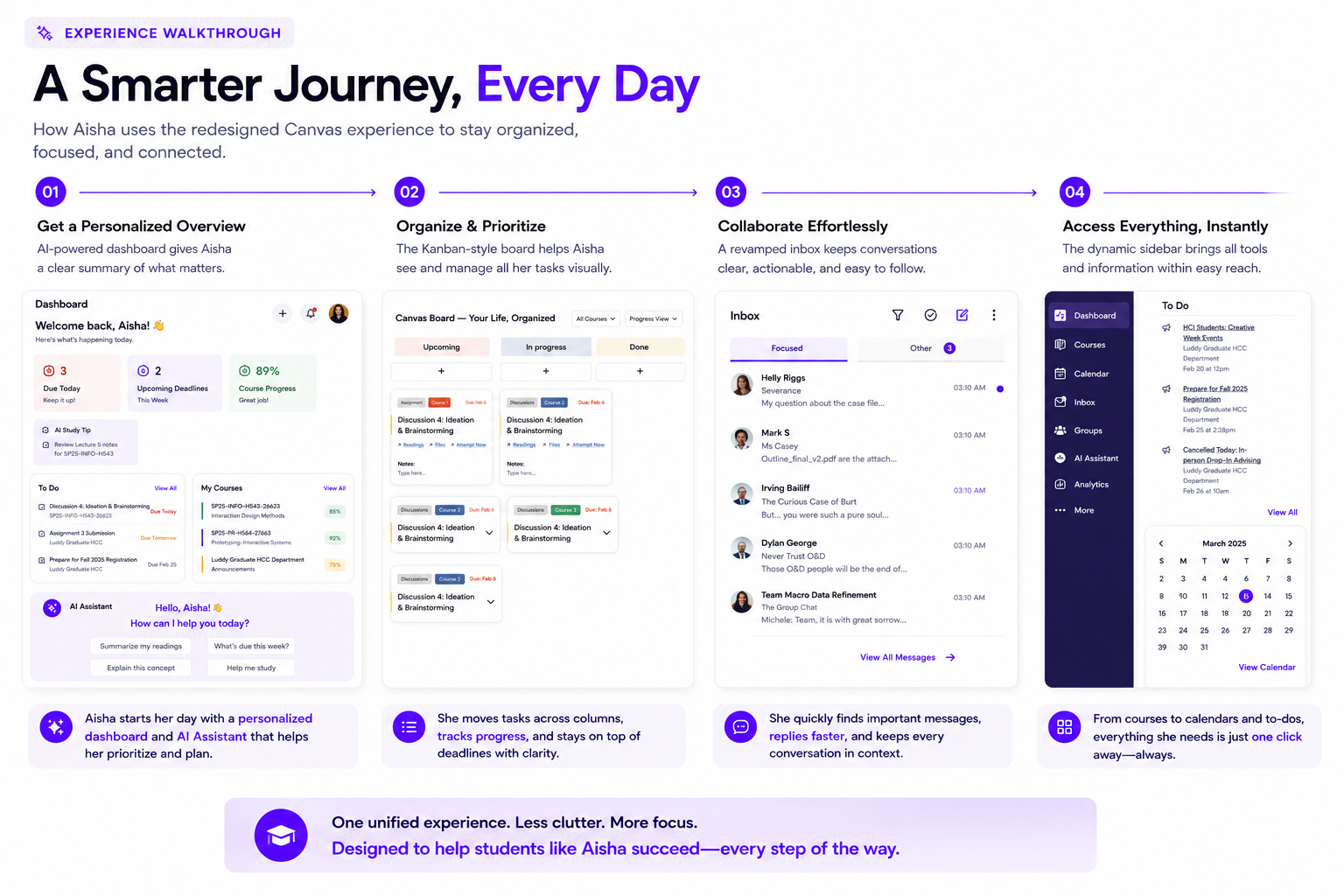
The dashboard and AI assistant support planning; the board-style workflow clarifies task management; the focused inbox supports timely communication; and the sidebar brings essential tools within reach.
Across the four-step journey, the emphasis remains consistent: move from a quick overview to prioritization, communication, and learning resources without losing context.
A simpler Canvas. A stronger student.
The proposed experience brings organization, productivity, and collaboration together. It prioritizes what matters most, reduces clutter, and creates a more supportive space for learning.
The ambition extends beyond visual consistency: help students spend less time managing the platform and more time learning, working with peers, and making progress.
It’s about creating space for what matters most: learning, growth, and connection.